
Investment Return
Calculator
Investment management can be tricky, especially when you are unsure about the future potential of your investments. Market conditions, inflation, and taxes can all affect your profits, making it difficult to predict the outcome. However, an investment return calculator can be helpful. This calculator from WiserAdvisor helps estimate potential returns on your investments while factoring in variables such as inflation and taxes. It gives you a clearer picture of what to expect so you can make informed choices.
How Does the Investment Return Calculator Work?
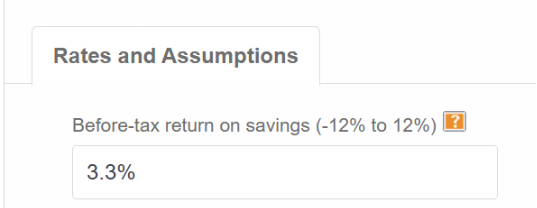
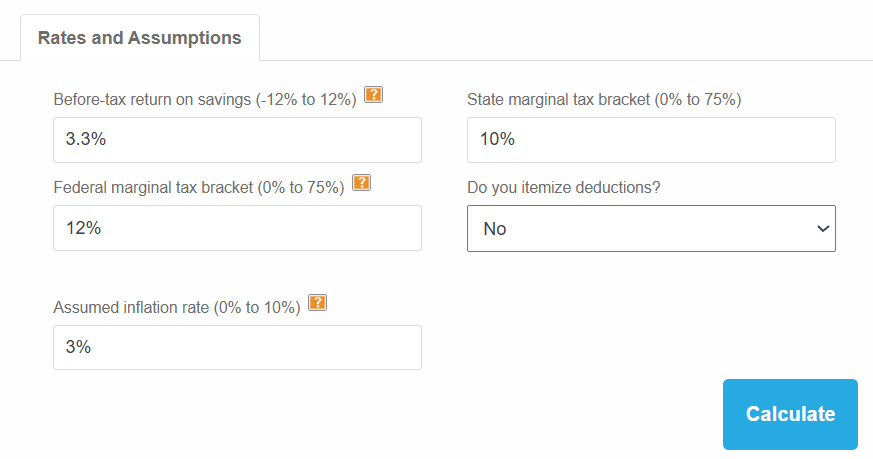
Step 1: Enter your expected before-tax return (-12% to 12%)
The calculator first needs your estimated annual return before taxes. This is based on the type of investments you hold. For example, if you invest in U.S Treasury Bills that have generated an average return of 3.3% in the past, you can enter this figure here. If you expect a loss due to a market downturn, you can also enter a negative return, such as -3.3%.
Step 2: Input your state tax rate (0% to 75%)
State taxes vary based on where you live. If your state does not have an income tax, you enter 0%. Otherwise, you should check your state’s tax brackets and enter a suitable value.

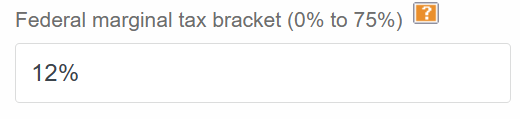
Step 3: Determine your federal tax bracket (0% to 75%)
Your federal marginal tax bracket depends on your income level and filing status. You need to enter the tax rate so the calculator can estimate the impact of taxes on your investment returns. For example, if you are a single filer with income between $12,401 and $50,400, you will fall into the 10% federal tax bracket. It is important to check the latest IRS tax brackets to ensure accuracy.
Find & Compare Top Financial
Advisors in Your Area
Get Started
A better way to find the right financial advisor
Step 4: Include your itemized deductions (if applicable)
If you decide to itemize deductions in a financial year, you need to enter the total value of all qualified deductible expenses. For example, if you pay mortgage interest of $5,000 during the year, you can select ‘Yes’ here. If not, select ‘No.’

Step 5: Adjust for inflation (0% to 10%)
The calculator lets you enter an assumed inflation rate to see how your investment returns hold up over time. For example, if the inflation rate for the year is 3%, you can enter this figure. When accounting for future returns, you can also enter an inflated value, since inflation is expected to rise.

Step 6: Review your results
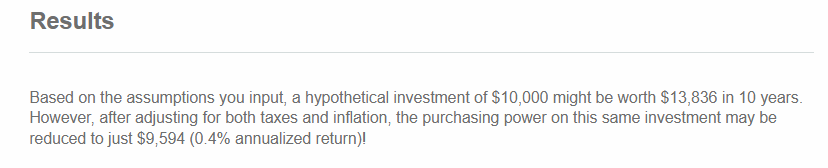
Once you have entered all the data, you can click on calculate. The calculator will estimate your after-tax investment returns. You can re-enter the expected return rate and review different scenarios if you wish. This can be helpful when comparing expected returns across two or more asset classes. You can also adjust the tax rates or inflation to see how different factors impact your long-term gains.
I Want to Take Charge.
Help me find and compare top vetted
financial advisors in my area.
FINRA/SEC Registered Advisors
 Your Information is Safe and Secure
Frequently Asked Questions
An investment return calculator estimates your future investment returns by factoring in variables, such as taxes, inflation, and expected returns. Doing so helps you compare scenarios as to how your investment may grow over time and plan more effectively.
They provide estimates based on assumptions, not guaranteed outcomes. The results should be used as a planning guide rather than a precise forecast.
Inflation reduces purchasing power, so it helps you understand real returns. Without accounting for inflation, your projected gains may appear higher than what they are actually worth in future terms.
Taxes reduce your net returns, making after-tax calculations more realistic.
Related Guide